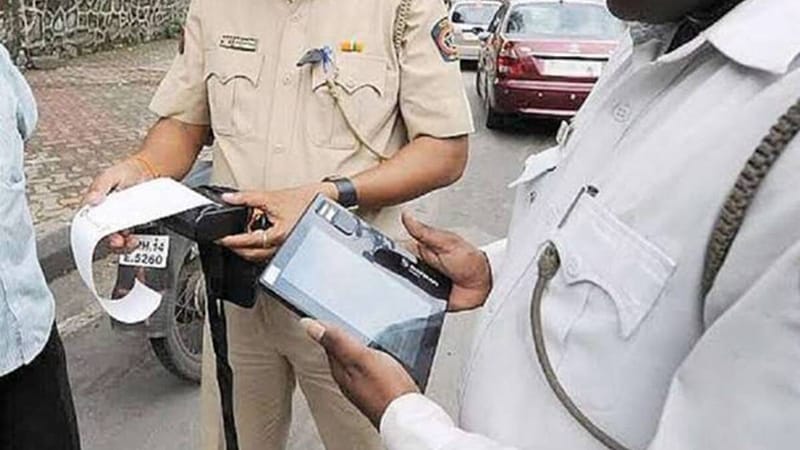
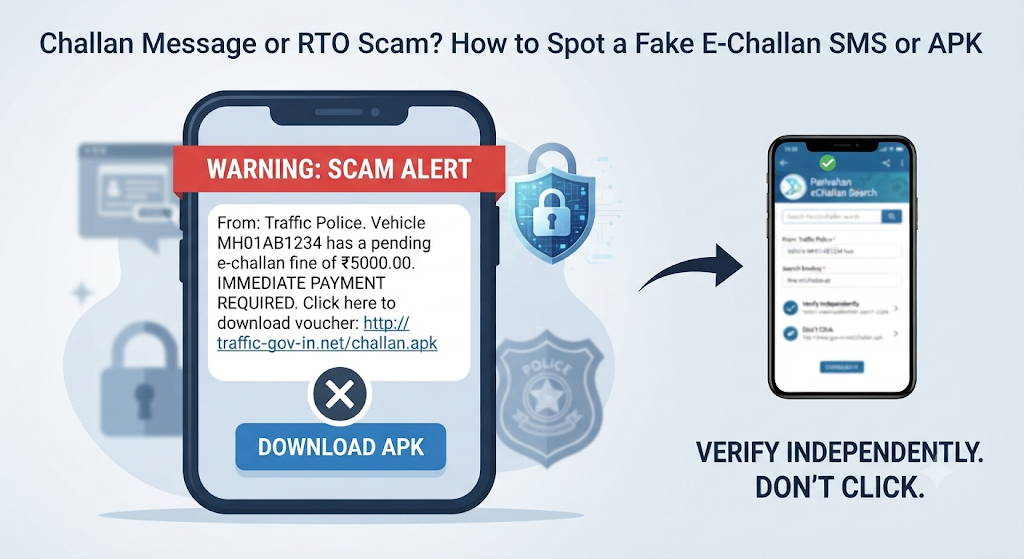
You receive a notice indicating that your car has a pending ticket that you haven’t paid. The message contains a penalty amount, also contains information regarding further penalties which may arise, and directs you to click a link or download a voucher. In fact, this is where a regular traffic alert can become a con. Scammers utilise government logos and manipulate people’s fear of fines.
The safest response is straightforward: verify the challan independently before opening attachments or paying.
Table of Contents
Fake E-Challan Messages: Warning Signs
| What the message asks you to do | Why it needs caution | Safer response |
| Install an APK to view a challan | It could install a harmful Android app | Check through the official challan service |
| Disable security warnings | It bypasses protection against unsafe software | Stop the installation |
| Share an OTP, password or UPI PIN | It could expose your account or authorise a payment | Never disclose these to the sender |
| Pay immediately through a personal QR code | The money may go to a fraudster | Verify the fine and payment route independently |
| Open a shortened or unfamiliar link | The destination may be concealed or misleading | Open the official service yourself |
| Grant SMS or accessibility access | A malicious app could access sensitive information | Decline and stop using the app |
The presence of a recognised logo, correct registration number or professional message does not guarantee that the source is legit.
How Does the Fake E-Challan Scam Work?
There are two common approaches. In the first, a message takes you to a fake payment page. It may imitate a government website and ask for card information, banking credentials or an OTP.
In this second case, you are urged to install an APK — a file used to install an Android application. It could be called a challan receipt, RTO application or vehicle document update.
CERT-In has warned about malicious applications using names such as RTO Challan and MParivahan. In the campaign it examined, an initial app prompted users to install another update. The malware then sought sensitive permissions and used fake payment screens to collect information.
Not all APKs are bad, but the problem stems from the fact that you are installing an app that you do not recognise. There is no need to install a file sent by someone you don’t know to find out if you have a traffic ticket.
Also Read: Most Common Traffic Challans in India and How to Avoid Them
Six Signs That a Challan Message Needs Verification
1. It asks you to install an app from the message
An APK attachment is an installation package, not a normal document receipt. Stop if the message tells you to enable installation from unknown sources or ignore an Android security warning.
In case you want a government application, it is better to find it yourself from the official site of the department and its connected app store page. Be sure to check the name of the developer instead of believing the name or icon of the app.
2. It creates pressure to pay immediately
Claims such as pay within ten minutes or your account will be blocked are designed to prevent you from checking. A caller may also offer to settle the fine at a discount if you transfer money straight away.
A real e-challan may have its ramifications and timescales. But they must be confirmed using the issuing authority rather than blindly believing some threatening-looking message.
3. The website address is misleading
Watch for misspellings, added words and shortened links. A page displaying Parivahan or RTO in its heading is not necessarily operated by the government.
The presence of HTTPS or the browser’s connection-security notification does not indicate that the website in question is trustworthy. So, start with a government site that has been independently verified rather than trying to understand a suspicious-looking one.
4. Someone asks you to disclose payment credentials
Do not read out an OTP, send a card PIN in chat or share your banking password with someone claiming to resolve the challan.
There is a difference between giving the code to someone and keying it into a particular payment or verification process of your own making. You can have OTP verification in official processes. If any unverified person or a page is trying to get the code, that is indeed a caution sign.
5. An app asks for powerful permissions
An unfamiliar challan app requesting SMS access, accessibility controls or permission to set up a VPN deserves immediate caution.
As for accessibility access, it can give an application rights to access the screen and control other applications. However, even though accessibility access can have legitimate uses, it should not be granted just because the message claims it needs to see the fine.
6. The details do not match your vehicle or journey
Check the registration number, offence, location and date. A mismatch needs investigation, but it does not automatically prove fraud: an official challan can also contain an error.
The same rule applies in reverse. Just because you get the vehicle number matching does not mean that the message is authenticated. Make sure to check the actual record with the issuing authority.
Also Read: Guide to Avoid traffic Challan in India
Are All WhatsApp Challan Messages Fake?
No. Some traffic police departments use WhatsApp for official notifications. Delhi Traffic Police, for example, has announced WhatsApp services for challan and notice notifications.
This means that neither WhatsApp nor SMS should be considered valid proof of authenticity, and the requested action must be judged by the relevant authority as well as validated independently.
How to Verify an E-Challan Safely
Start with the official service. Open the Ministry of Road Transport and Highways’ Parivahan website independently and navigate to eChallan. Alternatively, use the issuing state’s official traffic police or transport service. Avoid entering through the message you are checking.
Search for the record. Enter the vehicle number, challan number or any of the other search criteria available. You also need to follow the prescribed verification steps as shown in the official service.
Compare the details. Review the vehicle, offence, date, location, amount and payment status. Check photographs or supporting information if available.
Resolve inconsistencies before paying. Should the record fail to come up in the search, consult the respective state agency, or reach out to the authority that issued the notice using any contact information acquired through independent means. A one-time unsuccessful search result alone is not enough to cancel a notice.
Use the appropriate payment or dispute process. Pay through the verified service if the challan is valid. If the details are wrong, use its grievance mechanism. Court-transferred matters may need to be checked through the official Virtual Courts service.
Save the receipt of the payment and transaction reference. If the payment has been debited but you are still waiting for the status, check the status of the transaction before making another payment.
For routine checks, you can also access Spinny’s e-challan service directly. Disputed records and suspicious notices should be clarified with the issuing authority.
What If You Already Clicked the Link or Installed the APK?
You only received or opened the message.
Don’t respond, open the attachment, or contact via the number given. If you want to report this, take a screenshot before blocking the sender and deleting the message.
Simply receiving a suspicious message does not establish that your phone has been compromised.
You opened the link but entered nothing.
Close the page and check if you downloaded anything. You must delete any strange installations that were downloaded without actually opening them. Do remember: do not agree to anything requested and do not follow any security notifications.
Opening a link alone does not prove that malware was installed, but it is not a guarantee of safety either. Keep your browser and operating system updated and investigate any unexpected app installation or unusual behaviour.
You downloaded an APK but did not install it.
Delete the file from your downloads. Downloading an installation package is different from completing its installation.
Disable installation from unknown sources for your messaging app, browser and file manager as well.
You installed the APK or granted permissions.
Disconnect the phone from mobile data and Wi-Fi. Stop using it for banking or entering passwords.
If financial information may be at risk, contact your bank from another secure device. It is important to secure the accounts that may have been compromised and change the passwords through their verified services.
Remove suspicious apps through Android Settings, including any unfamiliar app installed as an update. Deleting the original APK file does not uninstall an installed app. Run Google Play Protect or another trusted security scan and check for security updates.
If it fails to remove, or if suspicious behaviour continues, seek help from a trusted technician or manufacturer for the device in question. A reset may be necessary in this situation. Keep in mind to gather any potential evidence where applicable, but do not delay in informing the bank in case of urgency.
You shared banking information or lost money.
Contact your bank immediately through its official fraud-reporting channel. Ask it to secure the affected card, UPI or banking facility and obtain a complaint acknowledgement.
Call 1930 immediately if there’s been a case of financial cyber fraud and report the matter via the National Cyber Crime Reporting Portal. Follow the necessary procedures for lodging your complaint.
Quick reporting can help authorities and banks act on the funds. It does not guarantee recovery.
Where Should You Report a Fake Challan Message?
The reporting route depends on whether you received a suspected fraud attempt or became a victim.
| Situation | Reporting route |
| Suspicious SMS, call or WhatsApp message | Chakshu on the Department of Telecommunications’ Sanchar Saathi service |
| Money lost or an unauthorised transaction | Bank immediately, 1930 and the National Cyber Crime Reporting Portal |
| Account compromise or another cybercrime | National Cyber Crime Reporting Portal and local cyber police as appropriate |
| Incorrect challan in an official record | Issuing authority’s grievance process |
| Case transferred to court | Relevant official court process |
Chakshu is only for reporting suspected fraudulent communication. It doesn’t substitute for financial or cybercrime complaints.
Keep the sender’s number, message screenshots, suspicious website address, app name and incident time. For financial loss, also retain the transaction reference, amount and bank details needed for the complaint.
Do not send a live APK to friends as a warning; rather, send them a screenshot with personal information blurred.
Also Read: Drinking and Driving Fine in India (State-Wise Penalties 2026)
Habits That Reduce the Risk
Keep Android security protections enabled and install updates through the device’s settings or official app store. Check challans through a service you open yourself, even when a message looks convincing.
You should never install remote access software at the request of someone who claims to help you settle your fine. Always check the details of the payee and the amount before authorising a payment, and never enter a UPI PIN to get a supposed refund.
The aim is not to ignore traffic notices. It is to separate the notice from the payment decision and verify what you owe before acting.
Related Reads:
Bike Challan Check and Two-Wheeler Fine List 2026
Riding Without Helmet Fine
Vehicle Ownership Transfer: The Complete Step-by-Step Guide for RC Transfer
FAQs About How to Spot a Fake E-Challan
Q. Can a fake challan message contain my correct vehicle number?
Yes. Accurate details do not prove that the sender or payment link is genuine. Check the challan independently through the official national or relevant state service.
Q. Do I need to install an APK to check a challan?
No. You can use the official web service. If you prefer an app, obtain it through the government department’s verified app-store link, not an attachment in a message.
Q. Can legitimate challan services ask for an OTP?
Yes, official authentication and payment processes can use OTPs. Enter one only within a verified process you initiated. Never disclose it to a caller or send it in chat.
Q. Is my phone hacked if I only received the SMS?
Receiving the SMS alone is not evidence of compromise. The risk changes if you open a malicious page, provide sensitive information, install software or grant permissions.
Q. Can iPhone users face this scam?
Yes. Android APK files do not install as iPhone apps, but fake websites and payment requests can still trick iPhone users into sharing credentials or sending money.
Q. Does uninstalling the app guarantee that I am safe?
No. Information may already have been exposed, or another harmful app may remain. Check account security, secure affected financial services and seek technical help if suspicious activity continues.
Q. What if the official challan contains incorrect details?
Use the issuing authority’s grievance process and provide supporting evidence. An incorrect official record is different from a fake payment message and should be resolved through the appropriate channel.
Q. What should I do first if money has been taken?
Notify your bank immediately, call 1930 and complete the cybercrime complaint. Keep transaction details and acknowledgements. Do not pay anyone claiming they can recover the money for an upfront fee.