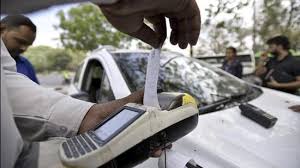
Toll payments are now smoother and faster with the FASTag in place. No cash, no problem! This cashless tech changes the game for all toll transactions.
But one major issue many users face when using FASTag is the deactivation of their FASTag due to incomplete KYC (Know Your Customer). This can disturb your travel plans and create undue inconvenience.
The silver lining is that KYC on your Airtel FASTag can be done in a couple of simple steps. The process is straightforward, whether online or offline.
In this article, you will find all the necessary steps to update your Airtel FASTag KYC so that you can travel seamlessly with peace of mind.
Methods to Update Airtel FASTag KYC
Online KYC Update Process
The easiest way to update your Airtel FASTag KYC is via the online method. It is a straightforward process which can be performed from either the Airtel Thanks App or the Airtel Payments Bank website.
Using Airtel Thanks App
To submit KYC in a few simple steps, download the Airtel Thanks App. The document is easily submitted and processed safely with this app. To use the app:
- Launch the app and go to the “FASTag” AES section.
- Choose the account of your registered FASTag.
- Upload your documents and submit them to be verified as per the instructions.
KYC Required Documents
Here’s what you’ll need to complete the KYC process online:
- Proof of Identity – Aadhaar or PAN or Voter ID
- Vehicle RC (Registration Certificate)
- Photograph (if required)
Minimum KYC vs Full KYC – What’s the Difference?
There are two types of KYC: minimum and full KYC. The minimum KYC allows you to do basic account activation with limited validity and low transaction limits. Whereas, if you wish to continue to use your Airtel FASTag without any unnecessary restrictions, then you are required to do a full KYC.
| Requirements | Minimum KYC | Full KYC |
| Name | Yes | Yes |
| Photo | Yes | Yes |
| ID Proof | Yes | Yes |
| Pan Card | No | Yes |
| Aadhaar Card | No | Yes |
| Address Verification | No | Yes |
| Validity | 24 months | No Expiry |
| Balance Restrictions | Yes | No |
Offline KYC Update Process
If online updates make you feel uncomfortable, the offline method is equally as reliable. You also visit any Airtel Payments Bank branch or selected partner outlet for updating KYC.
General Procedure to Visit Airtel Payment Bank Branch
When visiting the branch, you can meet the staff directly, so all doubts can be solved immediately. Here’s what you need to do:
- Find an Airtel Payments Bank branch near you.
- Fill out the KYC update form accurately.
- Complete the form and submit it with your documents.
Documents Needed for Visiting a Branch
Keep the original and photocopies of the following documents:
- Identity Proof
- Vehicle RC
- Passport-sized Photograph
Detailed Steps for Online KYC Update via Airtel Thanks App
Step-by-step Guide to Navigate the App
- Download and Setup the App: Make sure that the Airtel Thanks App is installed on your mobile phone and it is up to date.
- Login/Register: Enter your registered mobile number to get logged in. If you are new, register your account.
- Go to the FASTag Section: On the main screen, find and select “FASTag” under “Banking” or “Payments.”
- Choose Your FASTag Account: From the list of registered FASTag account, select your FASTag account.
- Start KYC Update: Find the option “Update KYC” or “Account Details” and click to continue.
The app will walk you through a series of prompts that you need to follow to complete the update. Carefully read each prompt.
How to Upload KYC Documents Properly
Keep your documents ready – scanned/clear photos of all required documents (id proof, rc etc.)
Upload Documents:
- Click the upload option under each document type required
- Select the file from your computer or capture a picture using the app.
Ensure Legibility:
- The text needs to be readable, with all text and numbers clear.
- Images should have no glare or shadows.
Verify Details:
- Make sure the details on the documents correspond with the information on the FASTag account.
- Rectify minor discrepancies within the app before submitting it.
Submit for Verification:
- When all documents are uploaded, click “Submit.”
- A confirmation message will then show, indicating they have been successfully submitted.
Track Your Application:
- The app can also be used to check your KYC status. You will be notified when the verification is complete.
How long does it take to process KYC?
Depending on the method used and the completeness of the documents provided, the Airtel KYC generally takes a few hours to a few days to complete the process. If you wish to get quicker results, then you need to use the Aadhaar-based biometric authentication process.
Also, please note that the online KYC is generally faster than offline methods.
Common Issues and Troubleshooting
Tips for Overcoming KYC Verification Challenges
- Make sure that all scans of documents are clear and easy to discern.
- Verify if your ID proof is registered with your current mobile number.
- Any discrepancies in details (like name or address differences) must be resolved before submission.
Contacting Customer Support for Assistance
In case you have any problems, please contact Airtel FASTag customer care at 8800688006 or through the help section in the Airtel Thanks App.
What Happens If You Don’t Update Airtel FASTag KYC?
The consequences of not updating KYC for your Airtel FASTag before the notified deadline includes:
- Your FASTag may be deactivated or blacklisted.
- You won’t be able to pay tolls electronically.
- Your account balance will be frozen until KYC is completed.
- You may face delays at toll plazas and will need to pay in cash.
If you wish to avoid service disruptions, it is highly recommended to complete your full KYC as soon as possible through the Airtel Thanks app or using customer support.
Conclusion
It is important to update your Airtel FASTag KYC to ensure that there are no glitches in your toll payments. Both online-oriented and offline methods are simple and straightforward. A few minutes taken to update your KYC saves you the worry of not being able to cross a toll plaza and the time spent waiting for the money to get refunded in your account when you are traveling.
For a safer and more reliable driving experience, don’t wait, Update your KYC now!
FAQ’s
Q. How can I update my Airtel FASTag KYC online?
Ans: To update your Airtel FASTag KYC, open the Airtel Thanks app, go to the ‘FASTag’ section, and follow the KYC update prompts. Upload your ID and address proof and submit.
Q. What is the last date to update Airtel FASTag KYC?
Ans: The last date is usually notified via SMS or app notifications. Updating your KYC before the deadline avoids FASTag deactivation.
Q. What documents are required for Airtel FASTag KYC?
Ans: You’ll need a government-issued ID (like Aadhaar, PAN, or Driving Licence) and address proof.
Q. How do I check my Airtel FASTag KYC status?
Ans: Login to the Airtel Thanks app > FASTag > Check KYC status. You’ll see whether your KYC is pending or approved.
Q. What happens if I don’t update KYC for Airtel FASTag?
Ans: Your FASTag may be deactivated, and you won’t be able to use it for toll payments.
Q. How to update FASTag KYC online?
Ans: Use the Airtel Thanks App or visit the Airtel Payments Bank website to upload your KYC documents and complete the verification process.
Q. How can I update my Airtel KYC online?
Ans: You can update it via the Airtel Thanks App by navigating to the “Update KYC” section under FASTag and uploading the necessary documents.
Q. How to update RC details in Airtel FASTag?
Ans: Log in to the Airtel Thanks App, select your FASTag account, and upload the updated RC document in the “Account Details” or “Update KYC” section.
Q. How do I activate my Airtel FASTag?
Ans: Activate your Airtel FASTag through the Airtel Thanks App by entering the required vehicle details and completing the KYC process.
Q. Can I update my KYC online?
Ans: Yes, the Airtel Thanks App provides a simple and secure way to update your KYC online.
Q. What happens if KYC is not updated for FASTag?
Ans: Your FASTag may become inactive, preventing toll payments. Updating your KYC ensures uninterrupted service.